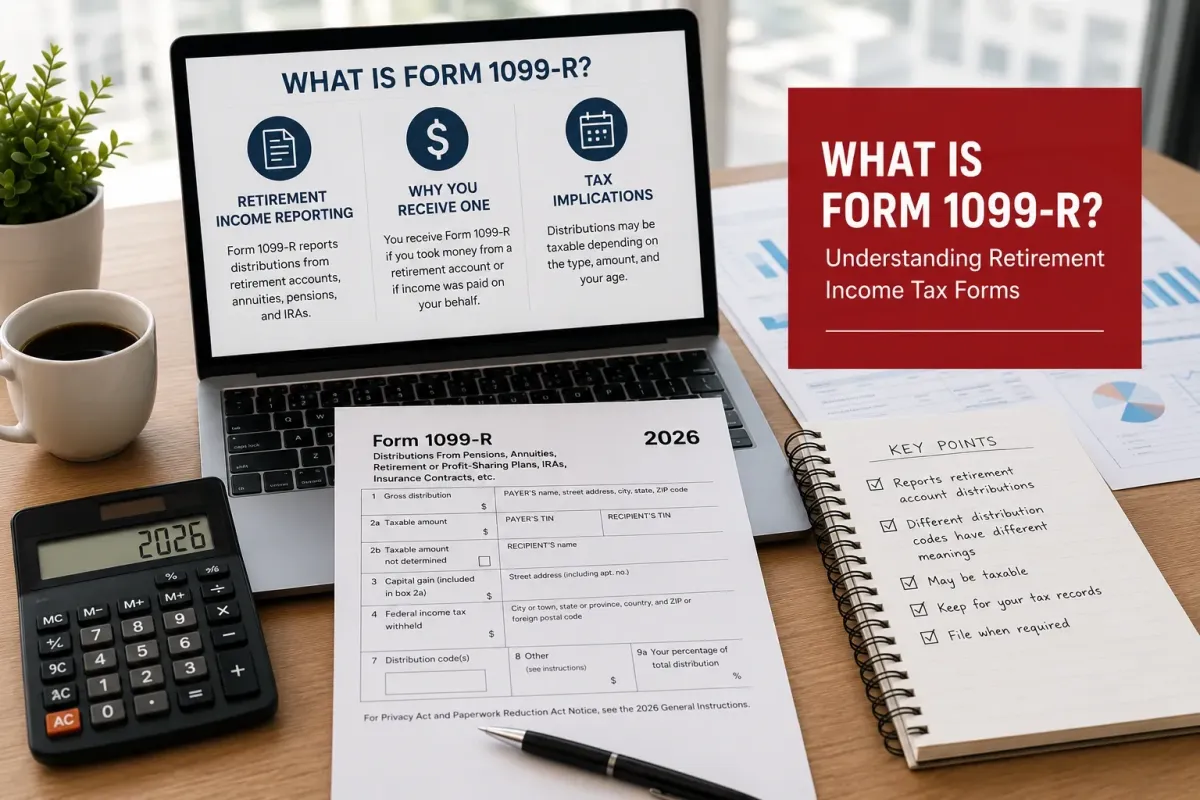
What Is Form 1099-R? Understanding Retirement Income Tax Forms
Key Takeaways
A Form 1099-Rreports on all distributions of $10 or more from pensions, annuities, IRAs, and most retirement plans, and the IRS receives a copy of the same information.
Even though you receive a 1099-R, you are not necessarily going to owe any tax on the distribution. Rollovers to other retirement accounts (even those that are not fully taxed) will trigger a 1099-R but will not be subject to tax.
Box 1 reports the full distribution of money, whether it is taxable or nontaxable. Box 2a reports the same amount of money reported in Box 1 that is taxable. Box 7 reports a code that identifies the type of distribution reported on Form 1099-R.
Good tax preparation software automatically imports the numbers from all your 1099-R’s and puts them in the correct places on your tax return. The best tax preparation software processes all of your 1099-R’s without charging you extra for them.
Introduction
A 1099-R shows up when money moves out of a retirement account, pension, or annuity, and you'll typically need it when using best tax preparation software to prepare your tax return. The purpose of Form 1099-R is to report distributions from retirement accounts, pensions, and annuities. If you receive a distribution from a retirement account, you will receive a Form 1099-R. You may also receive a 1099-R for a rollover. While rollovers are generally reported on Form 1099-R, they are typically not taxable and should not be included as taxable income in your tax calculation.
What Does the Form Actually Report?
1099-RR’s report all pension, annuity, IRA, and other retirement distributions of $10 or more to both the payee and to the IRS. All distributions from retirement plans and IRAs (whether taxable or not) are reportable on a 1099-R. Thus, all withdrawals (whether early or on time), rollovers, and even loans that default are reported on a 1099-R.
Why Did You Get One This Year?
1099-Forms for Retirement Accounts are issued for distributions, for RMDs (Required Minimum Distributions), for cashing out of a pension, or for transfers or rollovers into another account. Although amounts that are rolled over are not subject to tax and do not have to be reported, a 1099-Form will still be issued for the amounts distributed, and those amounts must be reported on the taxpayer’s return.
What Do the Boxes on the Form Mean?
In Box 1, it says what was paid out in total, before any taxes are taken out. Box 2a shows how much of that ends up being taxable, and it is often less than what you see in Box 1—kind of like not all of it counts. Then Box 7 uses a short code that tells the IRS what kind of payout this was; like was it a regular withdrawal or an early one, or maybe it was a rollover. A lot of common mistakes happen when people mix these three boxes up, like just shifting them around without checking.
Filing It Correctly
Using the professional tax preparation software is key when you have several 1099-Rs. Good software imports your distribution information into your return for you. The software will then list each distribution on the proper lines on your return and for those distributions that you rolled over into another account. The software will also list the rollover(s) on your return as well.
You can then run your return through an online tax calculator to ensure you’ve calculated your return correctly and that your return matches the software numbers for your refund or liability. As with all tax preparation, make sure the software you choose can handle multiple 1099-Rs for you without charging you extra for each distribution.
After that, you can run your return through an online tax calculator, just to make sure you’ve got everything right, and that the amounts in your return line up with the software’s numbers for either your refund or your tax due. It’s kind of a quick double check, so you don’t end up surprised later.
How Do You Choose the Right Tool?
When it comes to filing taxes, there are a number of different programs that are used.
Most of the best tax preparation software treats most rollovers of retirement accounts in the same way. The distribution will show up on your return, but it won’t be reported as taxable.
Other tax preparation programs, usually the less expensive ones, report distributions of retirement accounts as fully taxable. These types of distributions are subject to penalties in addition to regular income tax and should also be reported on a Form 5329 Additional Taxes on qualified plans (including IRAs. Comparing a few programs side by side, including well-known best tax software picks, can help you decide which one fits your filing needs best.
FAQ
Do I owe taxes on every 1099-R I receive?
No. The rollover will be reported by the best tax preparation software on your tax return, but it will not be reported as taxable because the full distribution will be reported in Box 1 of Form 1099-R and the taxable amount reported in Box 2a.
What if I lose my 1099-R?
A replacement copy of your 1099-R can be obtained from the plan administrator of your retirement account. The best tax software allows manual entry of the distribution from your retirement account until your actual 1099-R arrives in the mail.
Will it be okay if I file before my 1099-R arrives if I know the amount of distribution already?
You can file a return before receiving all your 1099-R, but this can be problematic because the IRS will likely match the figures reported on your return with the figures reported on your 1099-Rs. The best approach is to enter the figures on each of your 1099-Rs as you receive them and then use an online tax calculator to figure out your tax before filing your return.
Which tool handles multiple 1099-Rs best?
If you’re paying for a tax filing solution, then it should allow you to import and report all of your tax forms. This would especially be true for all of your various retirement accounts that may each have their own 1099-Rs that need to be reported for accurate tax calculations. Import the numbers from your 1099-Rs, run the numbers through your chosen tax filing solution, and then check your results with an online tax return calculator.

